Flashjot
Desktop app · Markdown · Tauri
A small notebook for Linux, Windows and macOS: press a shortcut, write the idea down, press Enter, and you're back to work.
Ideas show up at bad times: in the middle of a build, a meeting or a sentence. Flashjot keeps a capture box one shortcut away. Quick notes land in an Inbox, and later you file them into folders in the notebook. Every note is a plain Markdown file on your disk (Documents/Flashjot by default), so Obsidian, VS Code, grep and git can read it too.
- License
- MIT
- Interface
- EN · TR
- Runs on
- Linux · Windows · macOS
How it works
-
Catch it
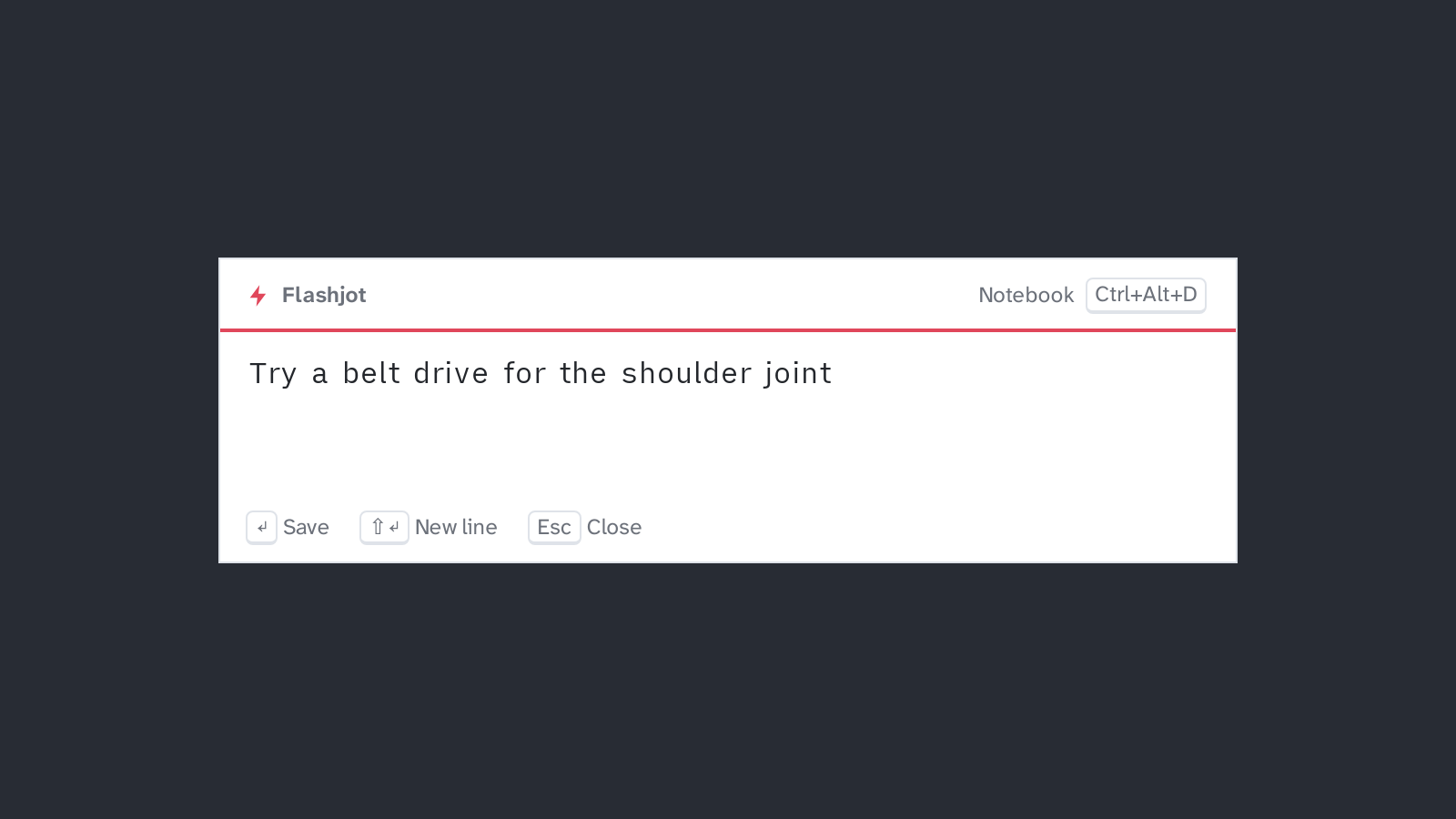
Press Ctrl+Alt+N wherever you are. A small box opens on top of whatever you are doing; type the idea and press Enter.
-
Let it wait
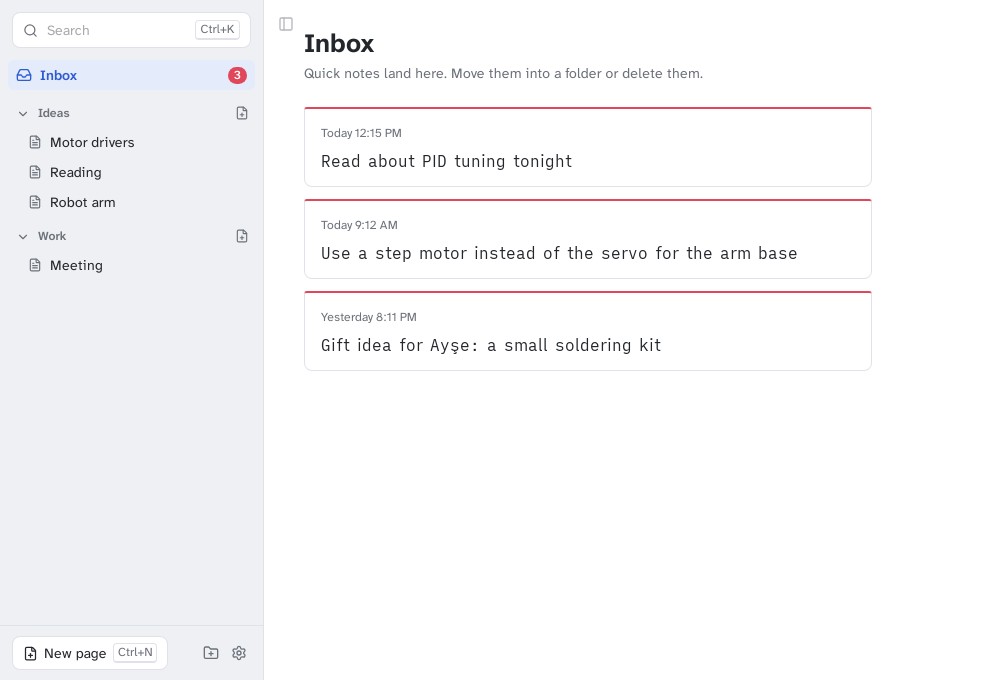
The note lands in the Inbox as a card and waits there until you have time to sort it.
-
File it
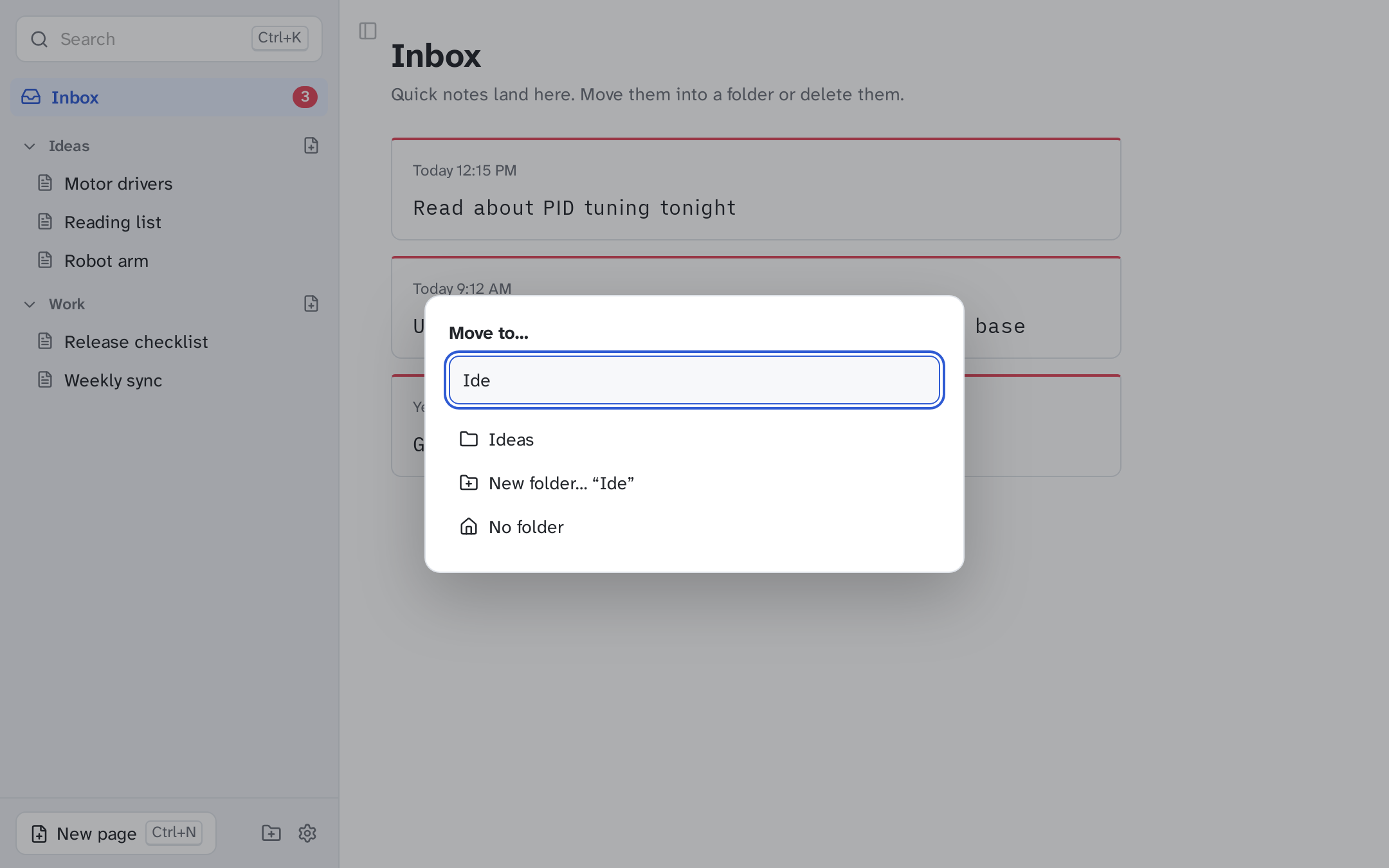
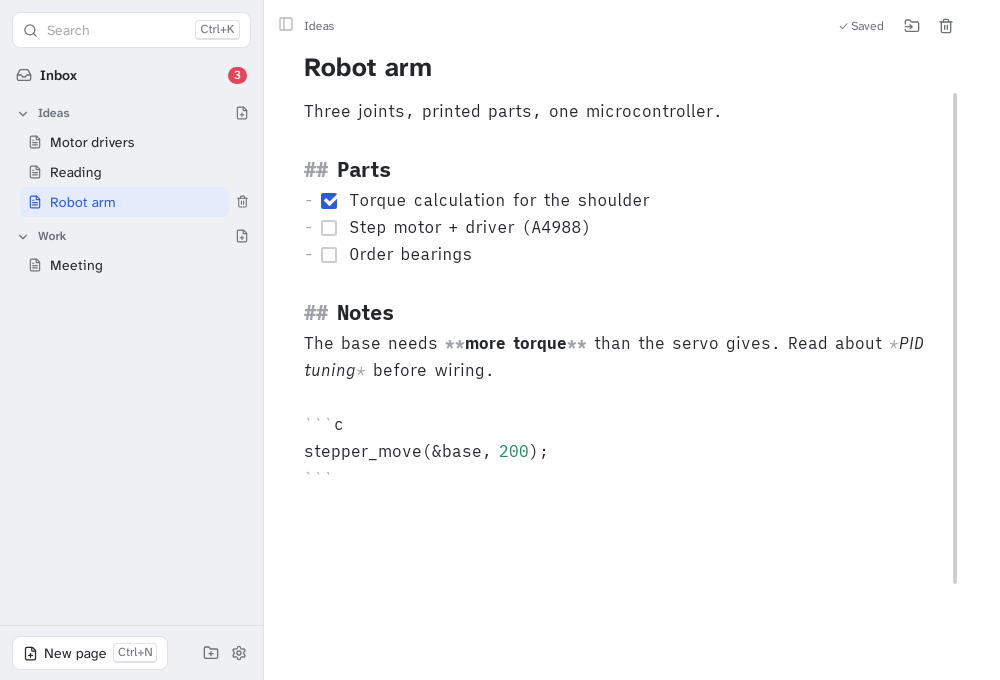
Ctrl+Alt+D opens the notebook. Press M to move a card into a folder, or keep writing on a Markdown page.
Features
- Quick box (Ctrl+Alt+N, ⌘⌥N on macOS): opens on the monitor your mouse is on. Enter saves, Shift+Enter adds a line, and Esc closes it while keeping your draft.
- Notebook (Ctrl+Alt+D): folders, pages, a Markdown editor with live styling and clickable checkboxes, and full-text search (Ctrl+K).
- Tasks: start a quick note with [] to add tasks; Open tasks lists every unchecked task across your notes.
- Inbox: quick notes wait as cards. Move one into a folder with M and it takes its title from its first line; delete with Del, and undo if you change your mind.
- Plain files: each note is a .md file, so your notes stay readable even without Flashjot.
- Safe writes: every save goes to a temporary file first and is then swapped in, so a crash or power cut never leaves a half-written note.
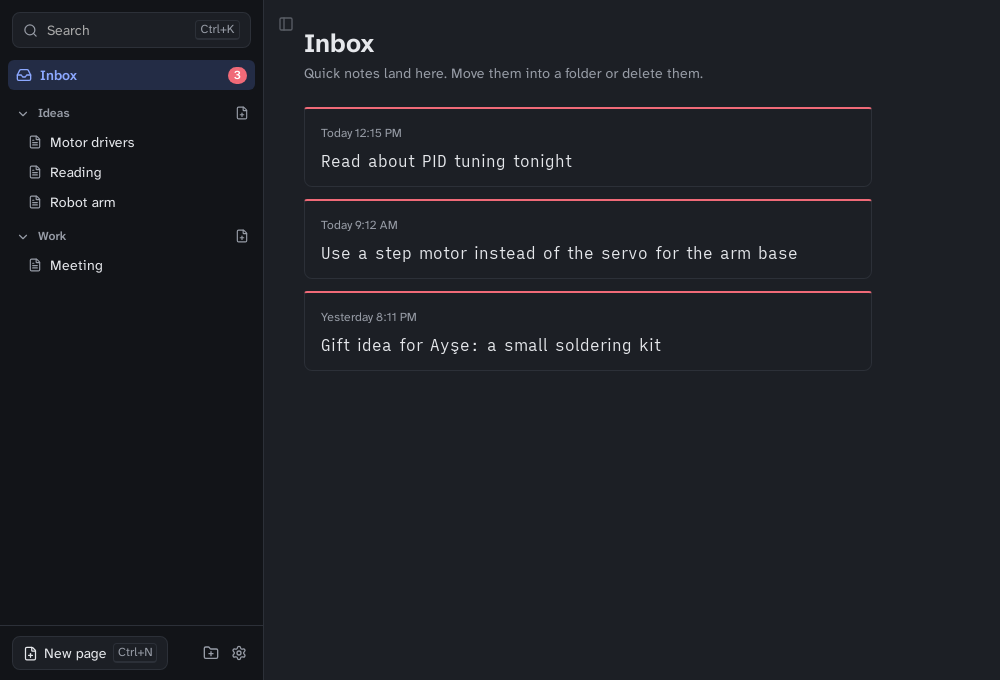
- Keyboard first, with configurable global shortcuts. Light and dark themes follow the system, and the interface is in English and Turkish.
- Small: built with Tauri, so it uses the system web view instead of bundling a browser.
- Installers for Linux (.deb, .rpm, AppImage), Windows (.exe, .msi) and macOS (.dmg). The macOS build is not notarized yet, and on Wayland you add the two global shortcuts in your desktop's keyboard settings.
Screenshots
Built with
Tauri · Rust · Svelte · TypeScript · CodeMirror